 PlayFable Arcade
PlayFable Arcade
PlayFable Arcade
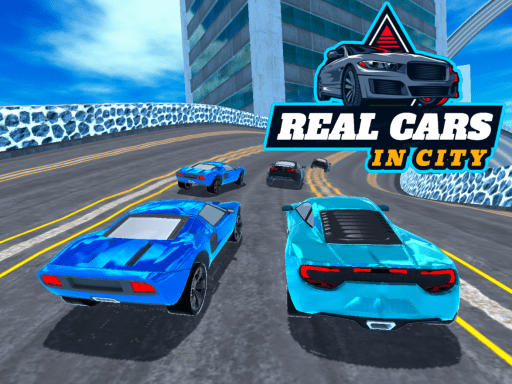
City Driving Simulator offers a satisfying blend of realistic car handling and arcade fun. The open world city is detailed and fun to explore, with multiple modes like racing and free ride. The vehicle upgrade system adds depth, and the controls are intuitive. A great choice for driving enthusiasts of all skill levels.
City Driving Simulator offers a realistic driving experience set in a vibrant urban environment. Players take the wheel of various vehicles and navigate through city streets, completing challenges and exploring a detailed open world. The game combines authentic car physics with arcade-style action, allowing players to enjoy both casual cruising and high-speed pursuits. Designed for those who appreciate detailed vehicle handling, the game provides a satisfying challenge for all skill levels. The core objective is to drive through the city, either in structured races or free exploration, while mastering the controls and learning the layout of the roads. What makes this game stand out is its balance between simulation and fun, making it accessible to newcomers while still offering depth for experienced players. The city is filled with traffic, turns, and obstacles that require quick reactions and careful planning.
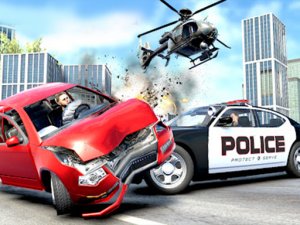
Players typically start by selecting a vehicle from a garage. The game offers multiple modes, including racing against AI opponents, free ride for open exploration, police chase scenarios, and a crash derby area. On-screen controls allow for steering, acceleration, and braking. By completing races and challenges, players earn in-game currency that can be used to purchase new cars or upgrade existing ones. The intuitive interface makes it easy to begin, while the realistic physics provide a satisfying challenge for all skill levels. Mastering the controls is key to success, as each vehicle handles differently based on its design and upgrades.
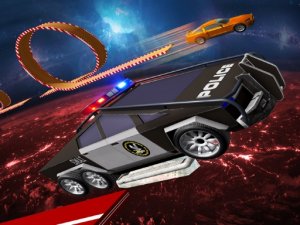
Key features include a collection of detailed sports cars, each with unique handling and performance. There are numerous racetracks with different layouts, a free ride mode for casual exploration, a police chase zone for high-speed pursuits, and a crash derby area for chaotic fun. The vehicle purchase and development system allows players to buy new cars and upgrade parts like engines and tires. The game offers high-quality 3D graphics and realistic driving physics, suitable for all ages.
To succeed, practice driving in free ride mode to master the vehicle handling and braking points. Learn the layout of each track to find the best racing lines. Earn and save in-game currency wisely, prioritizing upgrades that improve acceleration and handling. Experiment with different cars to find one that suits your driving style. In police chase and crash derby modes, focus on quick reactions and strategic positioning to outmaneuver opponents.



Player Comments
Sign in to comment
You must be logged in before posting a review or rating.
No account? Create one
No comments yet. Be the first to comment!