 PlayFable Arcade
PlayFable Arcade
PlayFable Arcade
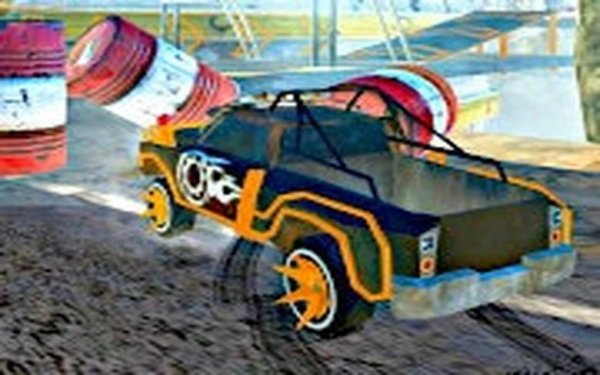
Big Rig Speedway Showdown succeeds in offering a distinct racing experience by emphasizing the weight and handling of large trucks. The controls are accessible, making it easy for younger players to pick up, while the strategic use of nitro boosts provides enough depth to keep races interesting. The local multiplayer mode is a standout feature, allowing two players to compete directly on the same screen. It is a solid choice for family game time or a quick competitive session.
Unlike standard sports cars, these large trucks require a more deliberate approach to steering and braking. The game simulates the weight and momentum of a big rig, meaning sharp turns demand careful speed management. Players must anticipate the vehicle's longer stopping distance and wider turning radius to maintain speed through corners. Mastering this distinct handling is the key to consistent lap times.
Players can choose to race against a computer opponent in single-player mode or challenge a friend using the same device in local multiplayer. Each race is a direct contest to cross the finish line first. The split-screen setup keeps both competitors visible, adding a layer of tactical awareness as you track the other truck's position on the track.
A limited supply of nitro boosts is available during each race. Using these boosts on straight sections can provide a significant speed advantage. However, activating a boost while turning can lead to loss of control. The decision of when to deploy this resource adds a strategic layer to each lap, rewarding players who plan their usage based on the track layout.
Each circuit features its own set of curves and straightaways. Familiarity with the track layout allows drivers to choose better racing lines and optimize their use of nitro boosts. Repeated play helps in memorizing braking points and the best spots to accelerate, which is essential for beating skilled opponents.








Player Comments
Sign in to comment
You must be logged in before posting a review or rating.
No account? Create one
No comments yet. Be the first to comment!